Beautiful, minimal, focused

A notes app designed by writers, for writers.

In20xx Notes is for people who write a lot of notes. Organize notes with limitless notebooks, note nesting, and titled note blocks within notes. Everything you need is a click away and yet buttons and ribbons never appear over your writing. Persistent scratchpad, side-by-side notes, color icons, and one-click copy are some of the features that help your note taking flow.

Format
Rich text
Structure
Infinite nesting
Storage
Your choice
Size
11 MB
Scroll
01 — Position
This program wants to do one thing and one thing well, empower your idea catching and information handling. It won’t ask you to log in, won’t give you plan limits, and won’t run slow.
02 — Appearance

Screenshots

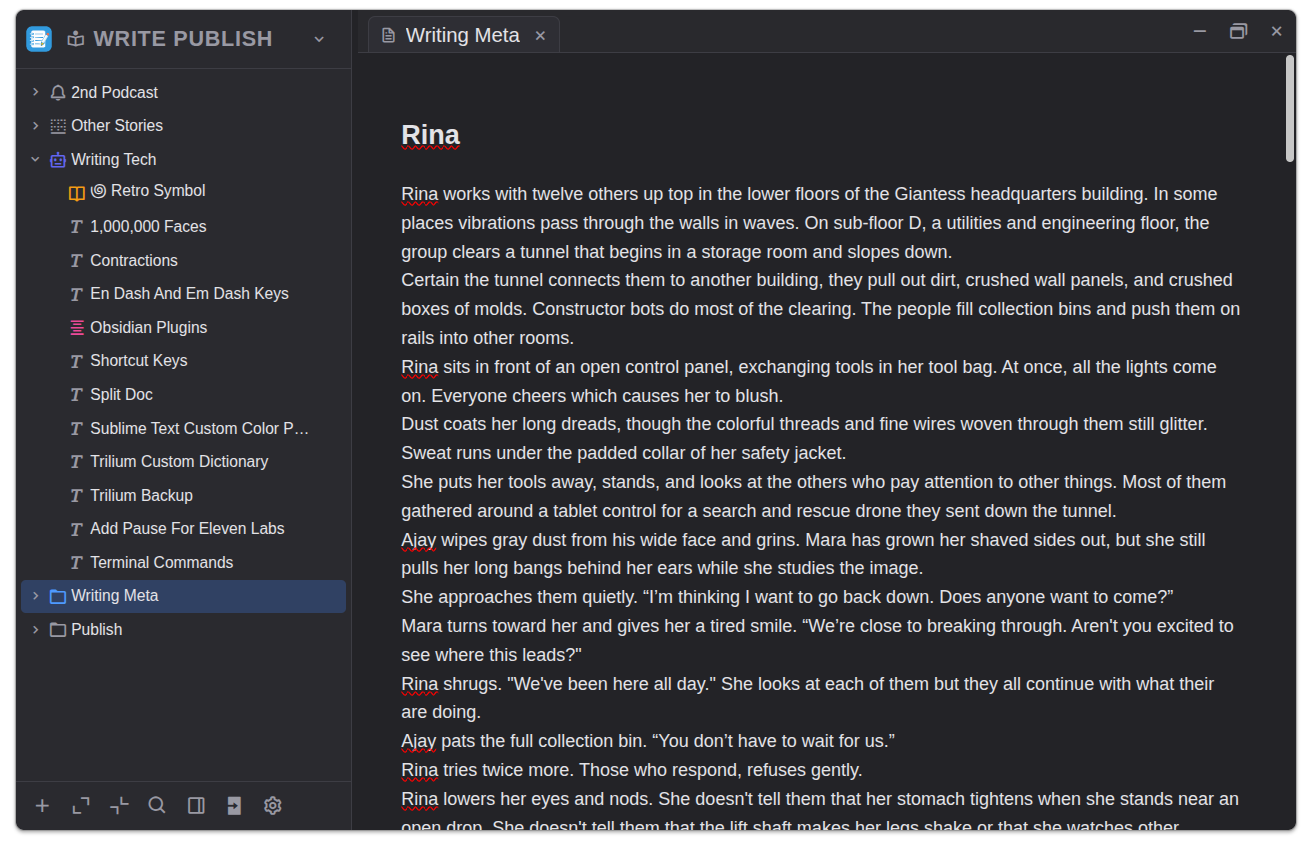
In20xx Notes writing view with folder tree on the left and the editor in the main pane
View 01

Clean Layout

Notebook name at the top left. Drag and drop to rearrange notes on the tree. Expand or collapse nested notes with a single click. Open multiple tabbed notes. Options stay out of sight until you need them.
Tree · left Editor · center Workspace · clean
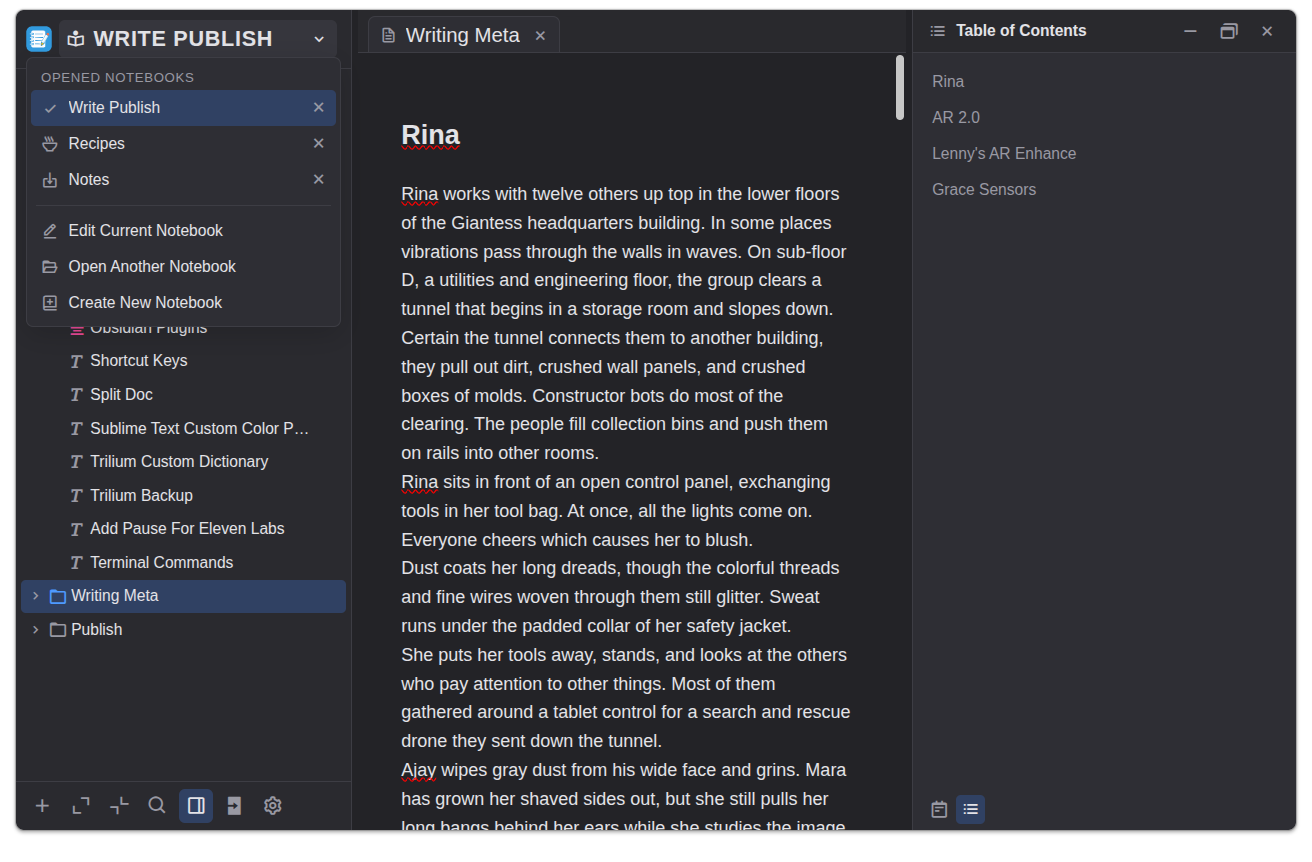
In20xx Notes with the notebook menu open and a table of contents panel on the right
View 02

Notebooks and Table of Contents

Switch between notebooks using the left menu. A table of contents for the active note displays on the right. Drag and drop within the table to reorder note sections. Headings and titled note blocks automatically generate the table.
Notebooks · left Editor · center Contents · right
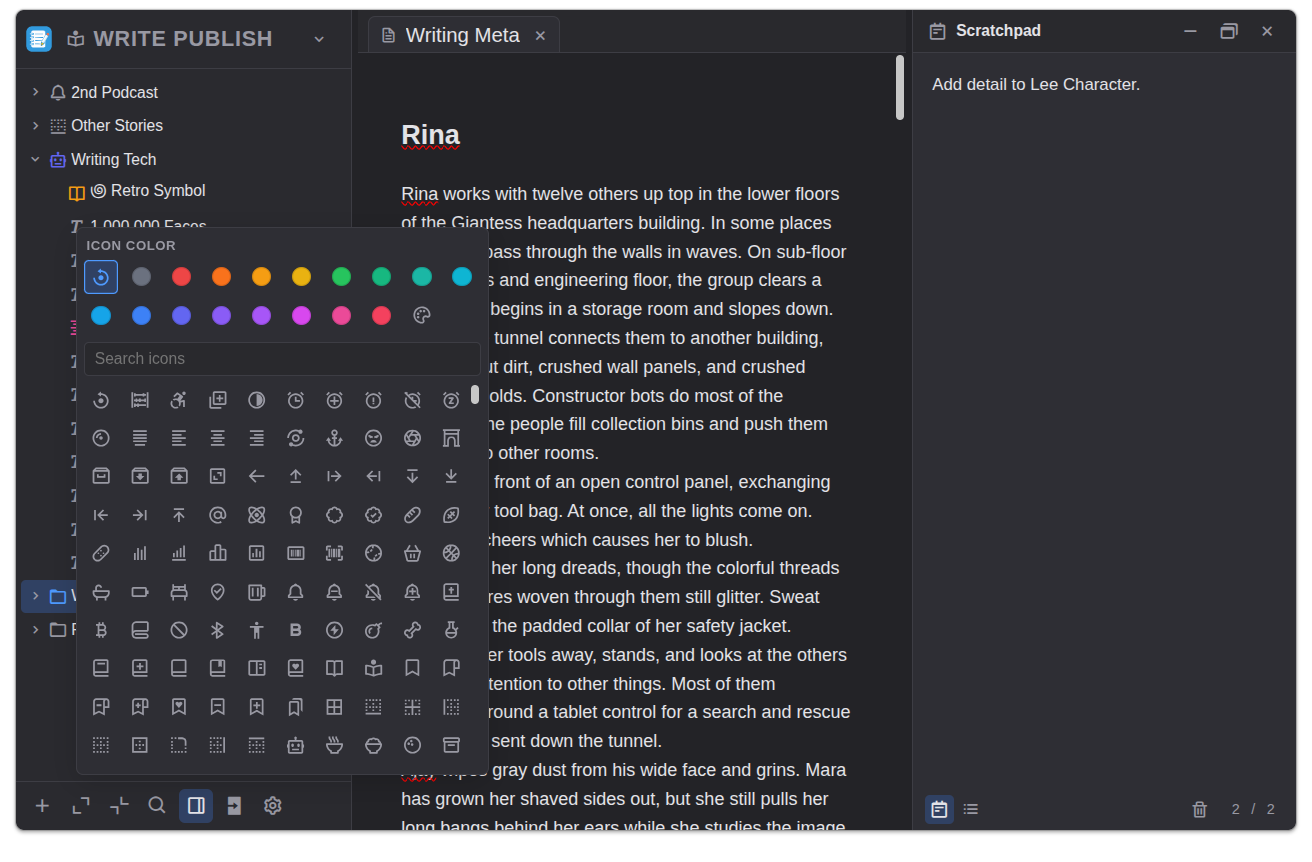
In20xx Notes with the scratchpad panel open and a folder icon and color picker displayed
View 03

Colored Icons and Scratchpad

Pick an icon and its color for each note. The persistent scratchpad with pages opens on the right. Idea dump, sketch draft, park fragments, and capture questions.
Icon picker · left Show · hide Scratchpad · right
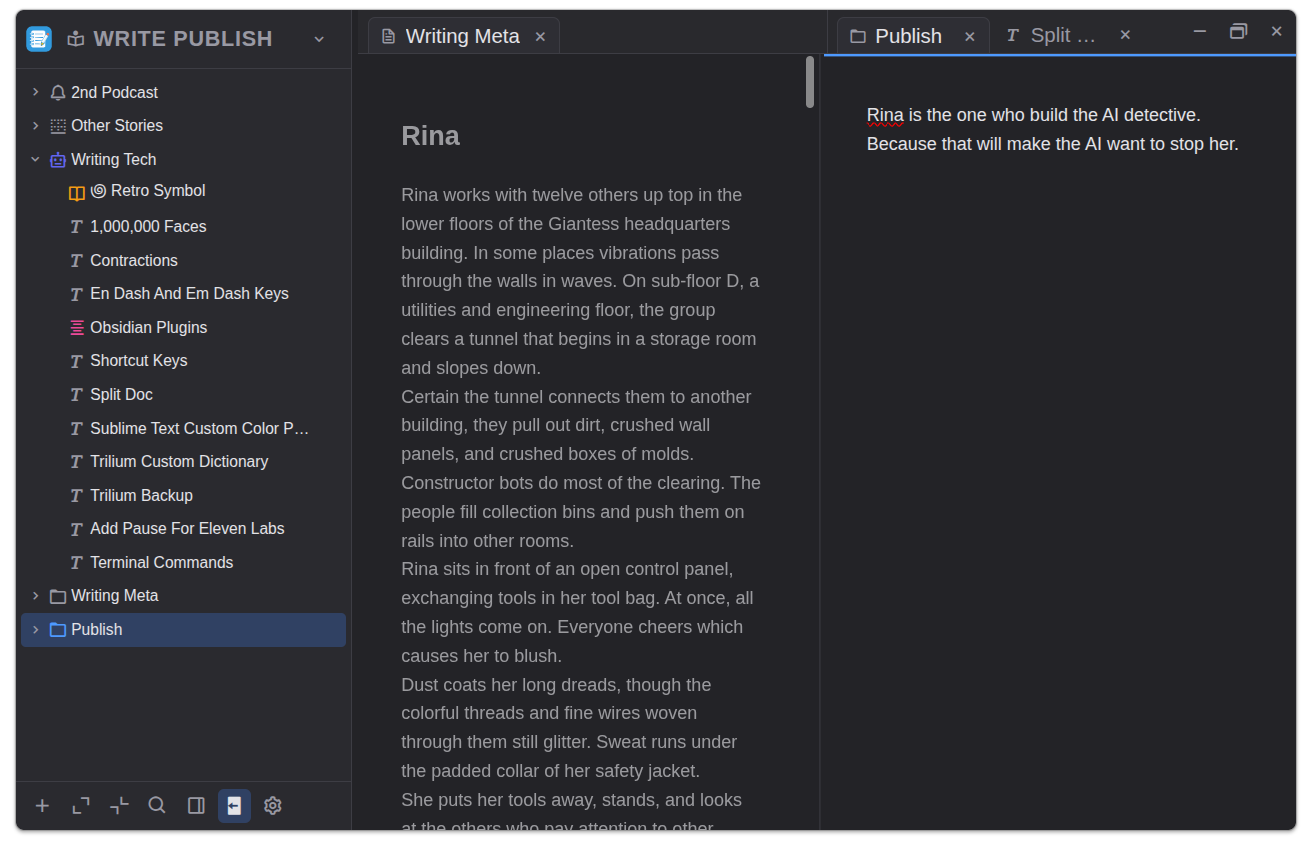
In20xx Notes with two notes open side by side, one dimmed writing note and one active publish note
View 04

Side by Side Notes

With double tabbed note windows, move info between notes, follow an outline, or compare two notes.
Tree · left Main note · middle Reference · right
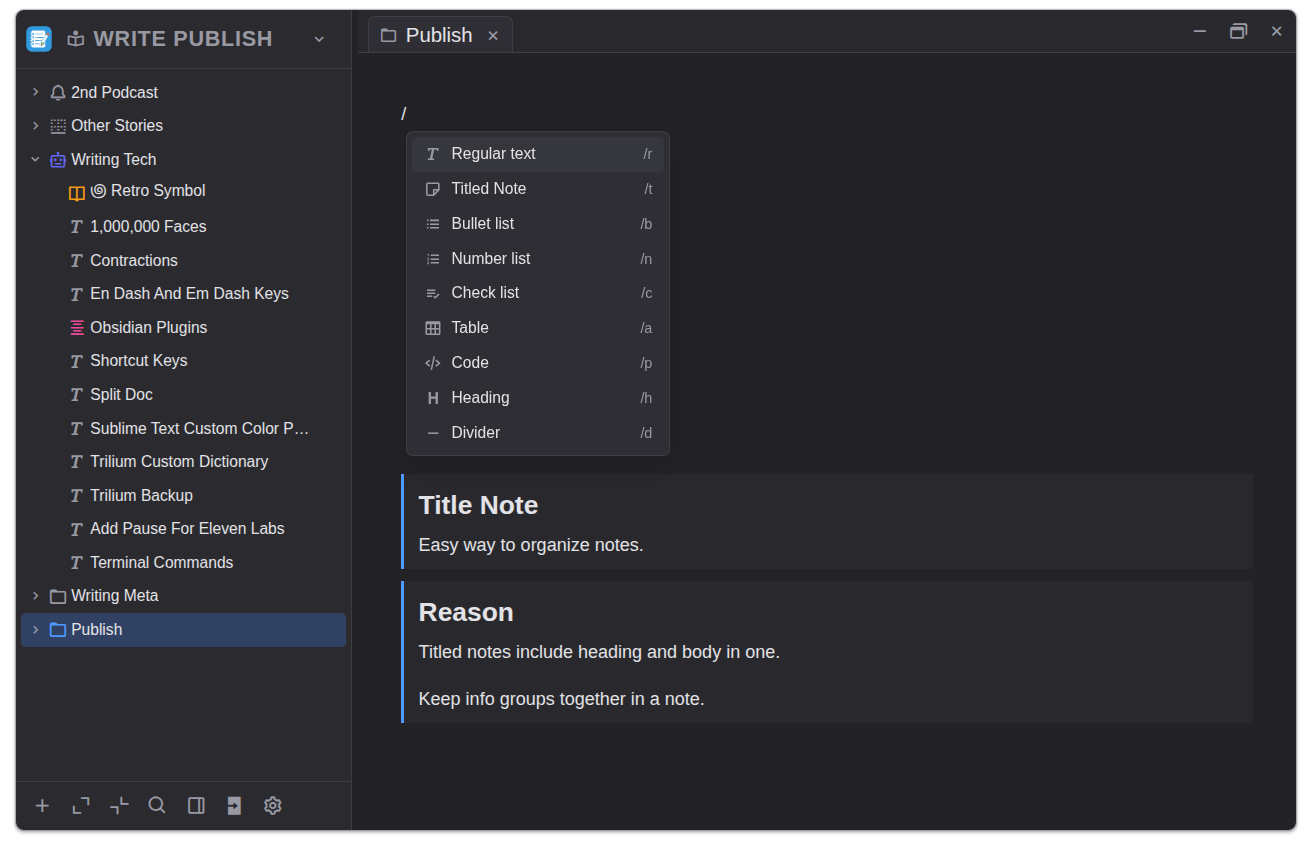
In20xx Notes publish note showing the slash command menu and titled note blocks
View 05

Text Blocks

Type slash+letter to create blocks: regular text, titled notes, numbered titled notes, lists, tables, code, headings, and dividers. Drag and drop to reorder blocks. Unique to this software: titled notes and numbered titled notes makes it easy to group notes on one note page.
Slash menu · inline Blocks · fast Notes · grouped
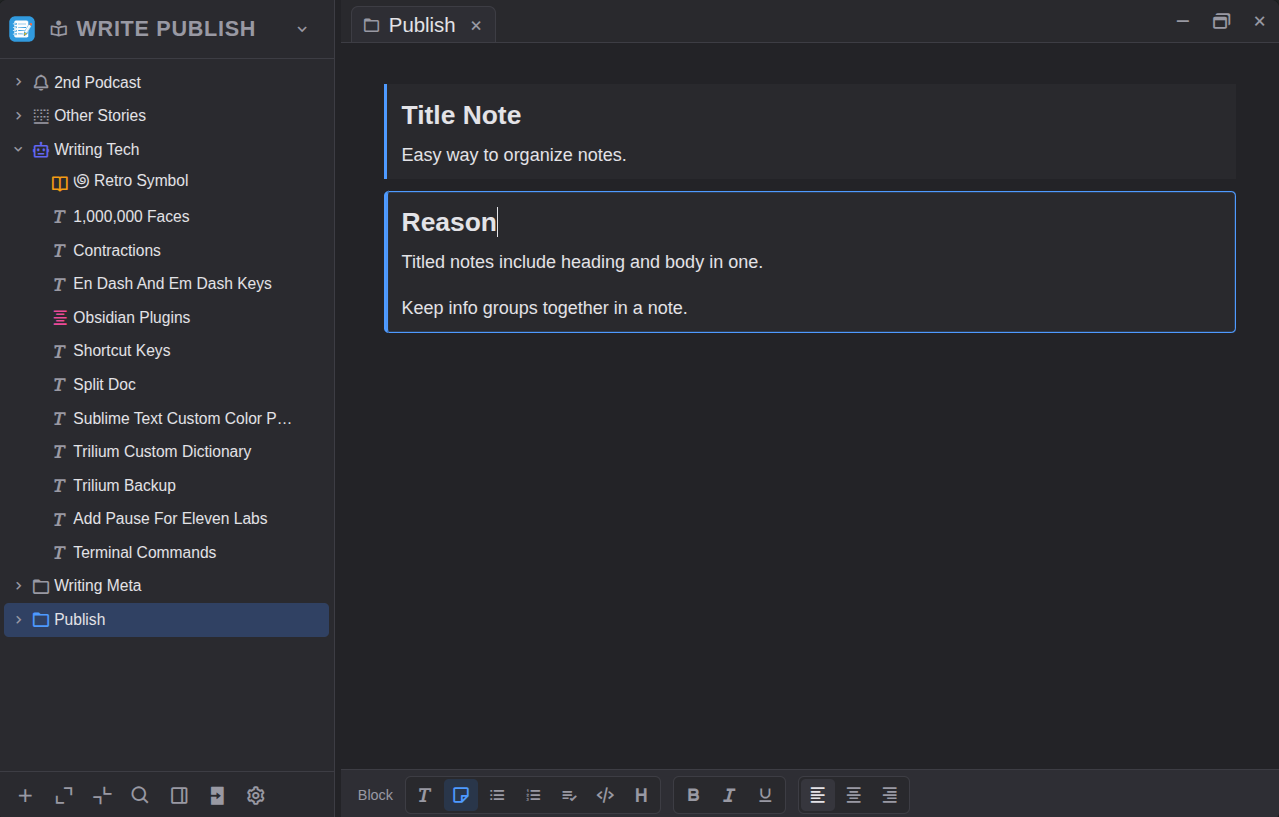
In20xx Notes publish note with a selected titled note block and formatting toolbar at the bottom
View 06

Footer Toolbar

Toolbars appear at the bottom so you can always see your text. Minimal distraction yet powerful tools are a click away.

Text space · clear Toolbar · bottom Editing · focused
"If you take thousands of notes like I do, you must try this program. Taking notes is a pleasure when I use it. I can focus on meaning, content, and context."
M. Voss Writer · Poet

Get In20xx Notes. It's free.

Checking GitHub for the latest release… No installer telemetry, no account required. Download and install. Install instructions

01 — For
Windows
Windows 10 or later · 64-bit installer
02 — For
macOS
macOS 12 Monterey or later · Intel or Apple silicon
03 — For
Linux
64-bit · AppImage, Debian/Ubuntu, or Fedora/RHEL